Tutorial
In this tutorial, we will build a basic Hello World API using Javalin and document it using ChazaAPI.
We’ll be using IntelliJ IDEA as the IDE for this guide, but you can follow along with any other development environment of your choice, as long as it supports Maven-based Java projects.
Prerequisite: You should have Javalin added as a dependency in your project. If not, check out the official Javalin documentation to get started.
Once Javalin is configured, we’ll demonstrate how to:
- Define and document your API metadata
- Annotate endpoints using ChazaAPI
- Serve the documentation via a browser
Let’s get started!
Create a Project
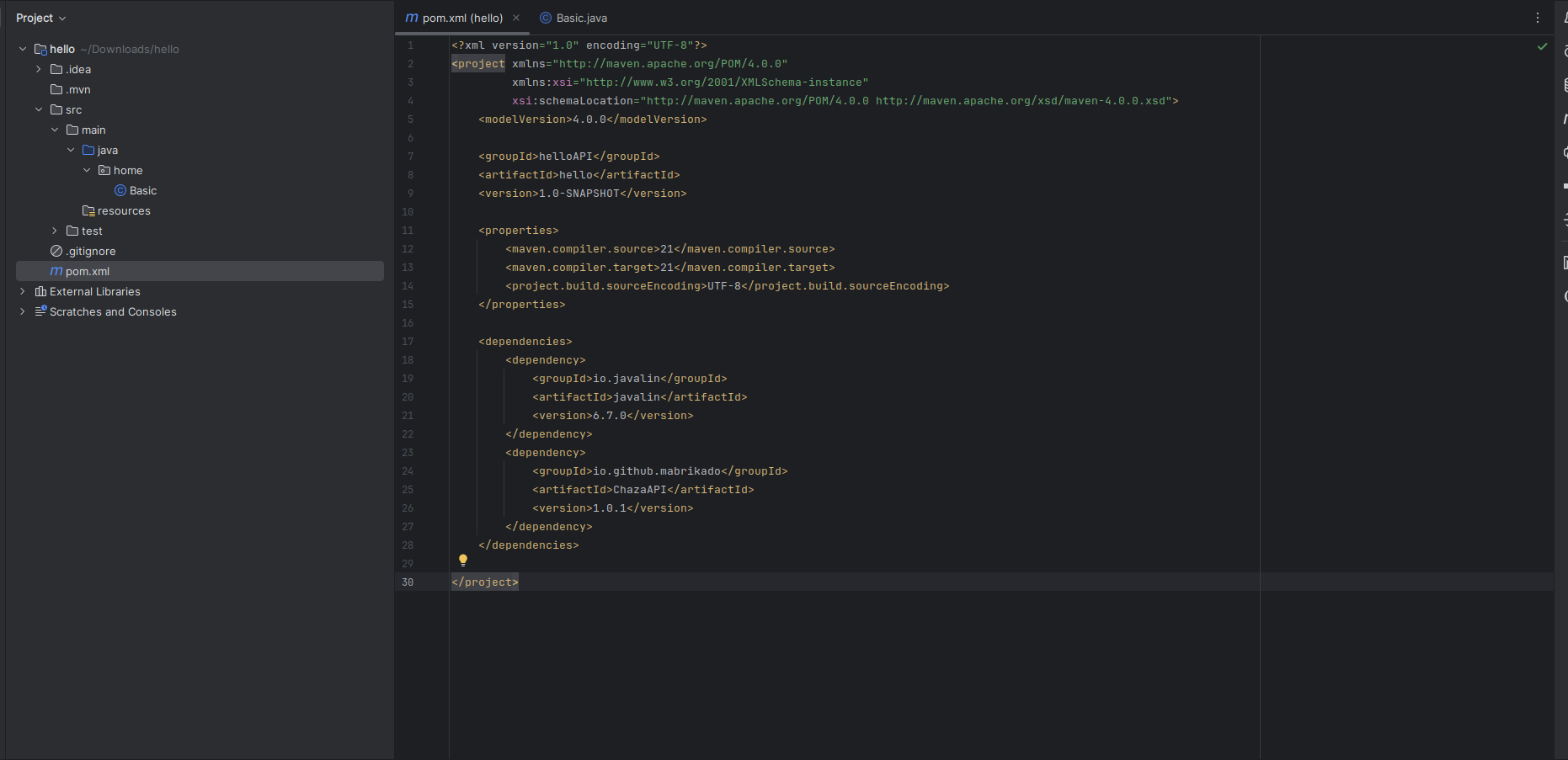
We will create a basic project in IntelliJ IDEA. This is the project structure:
Documenting Our First Endpoint
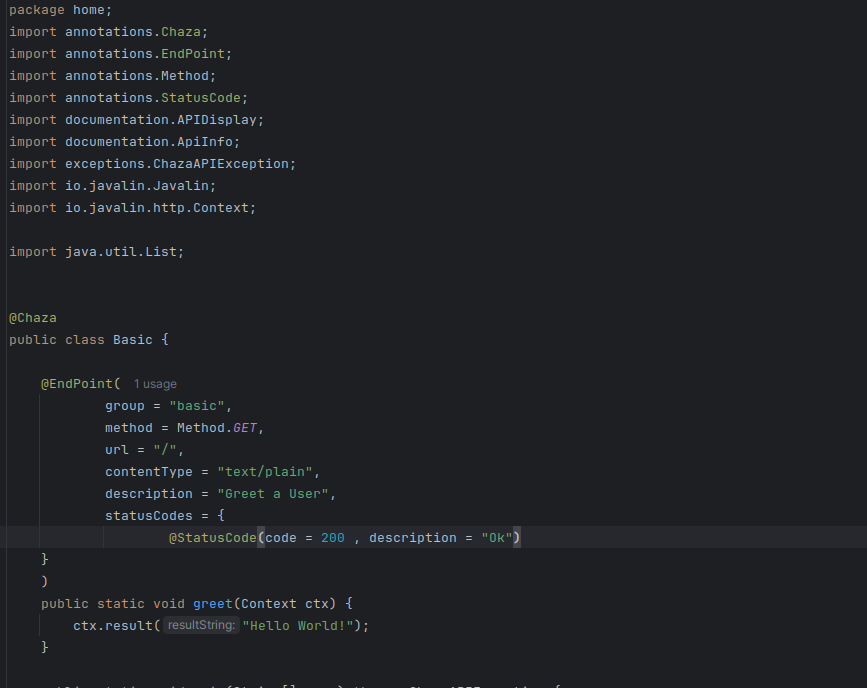
In this example, we define a basic API endpoint inside a class annotated with @Chaza. This annotation indicates to ChazaAPI that this class contains methods which should be scanned and included in the API documentation.
Within this class, the method greet() is annotated with @EndPoint, which captures the metadata required to describe the endpoint. Here's what it does:
- It belongs to the group
"basic"(used for organizing endpoints). - It responds to the
GETHTTP method. - The URL path is
/, meaning it's the root endpoint. - The content type returned is
text/plain. - It includes a short description:
"Greet a User". - It specifies an HTTP status code
200 OKfor successful responses.
Configuration
In order for ChazaAPI to generate the documentation webpage, it needs some essential information:
- Details about your API (such as title, version, description, etc.)
- Which classes act as controllers so it can scan and process them
- The server instance where the documentation will be hosted
Below is an example of how to provide this configuration.
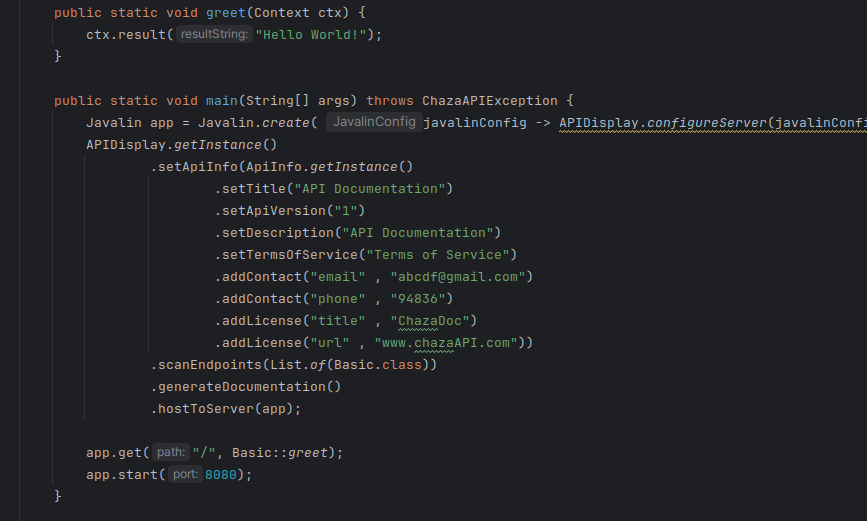
First, a Javalin server instance is created. During creation, the method APIDisplay.configureServer(javalinConfig) is called to customize the Javalin server configuration. This method sets up static file handling by specifying where the documentation assets are located. Specifically, the static files will be served from the /public directory in the classpath, as configured by the line config.staticFiles.add("/public", Location.CLASSPATH);. This setup ensures that the generated API documentation web pages are properly accessible and served by the Javalin server.
Next, the singleton instance of APIDisplay is obtained. This instance is responsible for managing the lifecycle of API documentation generation and hosting.
Using ApiInfo, detailed metadata about the API is defined. This includes the API’s title, version, description, terms of service, contact information, and licensing details. Supplying this metadata provides important context and legal information for API consumers.
The configuration specifies which classes contain the API endpoints by providing a list of controller classes to scan. Here, Basic.class is given, so ChazaAPI scans this class for annotated endpoint methods.
After scanning, ChazaAPI generates comprehensive and synchronized documentation based on the annotations found in your code.
Finally, the generated documentation is hosted on the Javalin server, which is then started on port 8080. This setup allows developers and clients to access live, automatically updated API documentation served directly by your running application.
See It In Action
Experience your API documentation firsthand by navigating to http://127.0.0.1:8080/chaza. Here, you’ll find a clean, well-organized webpage that presents all relevant information about your API and its endpoints, generated automatically from your source code.
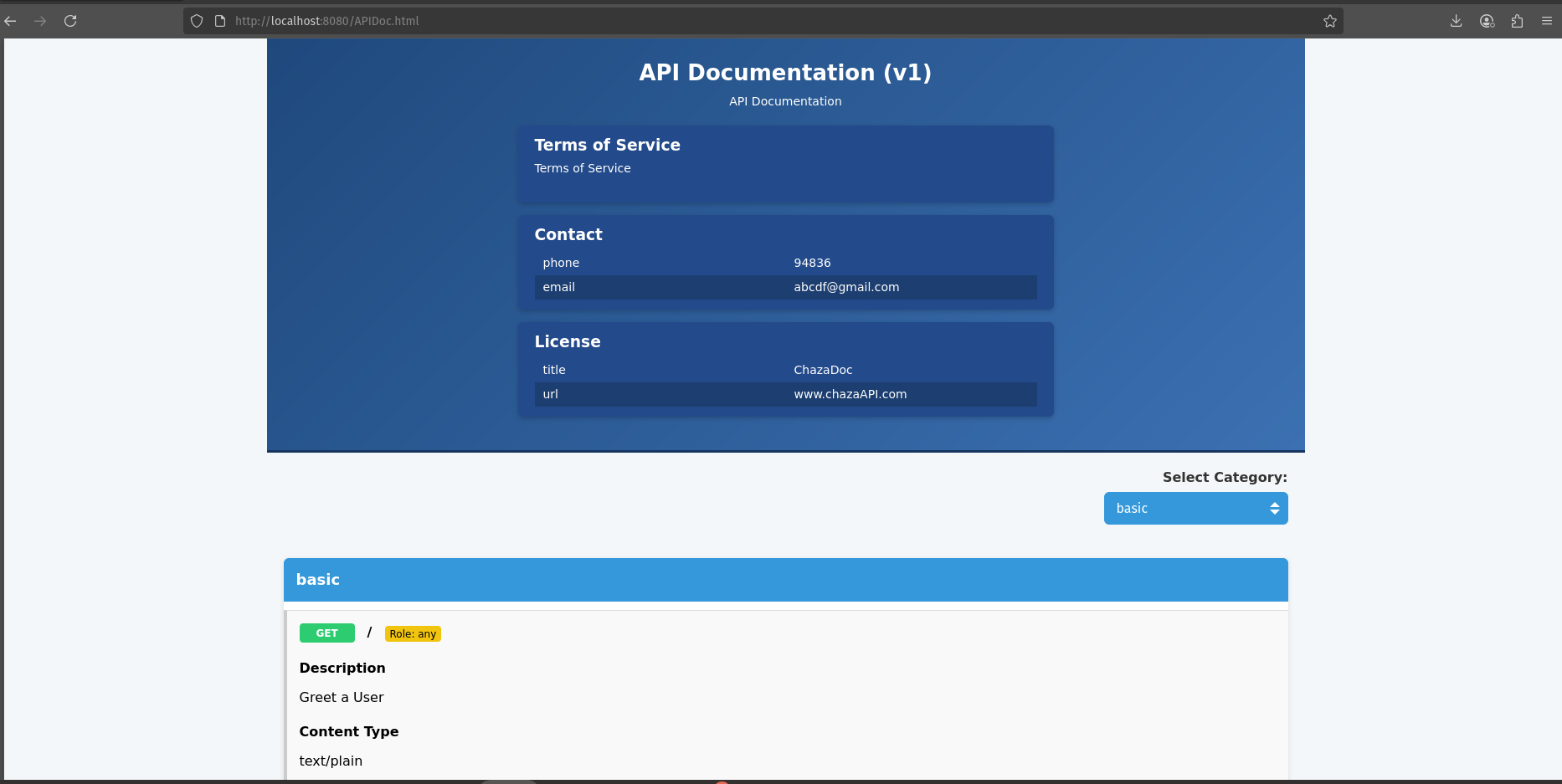
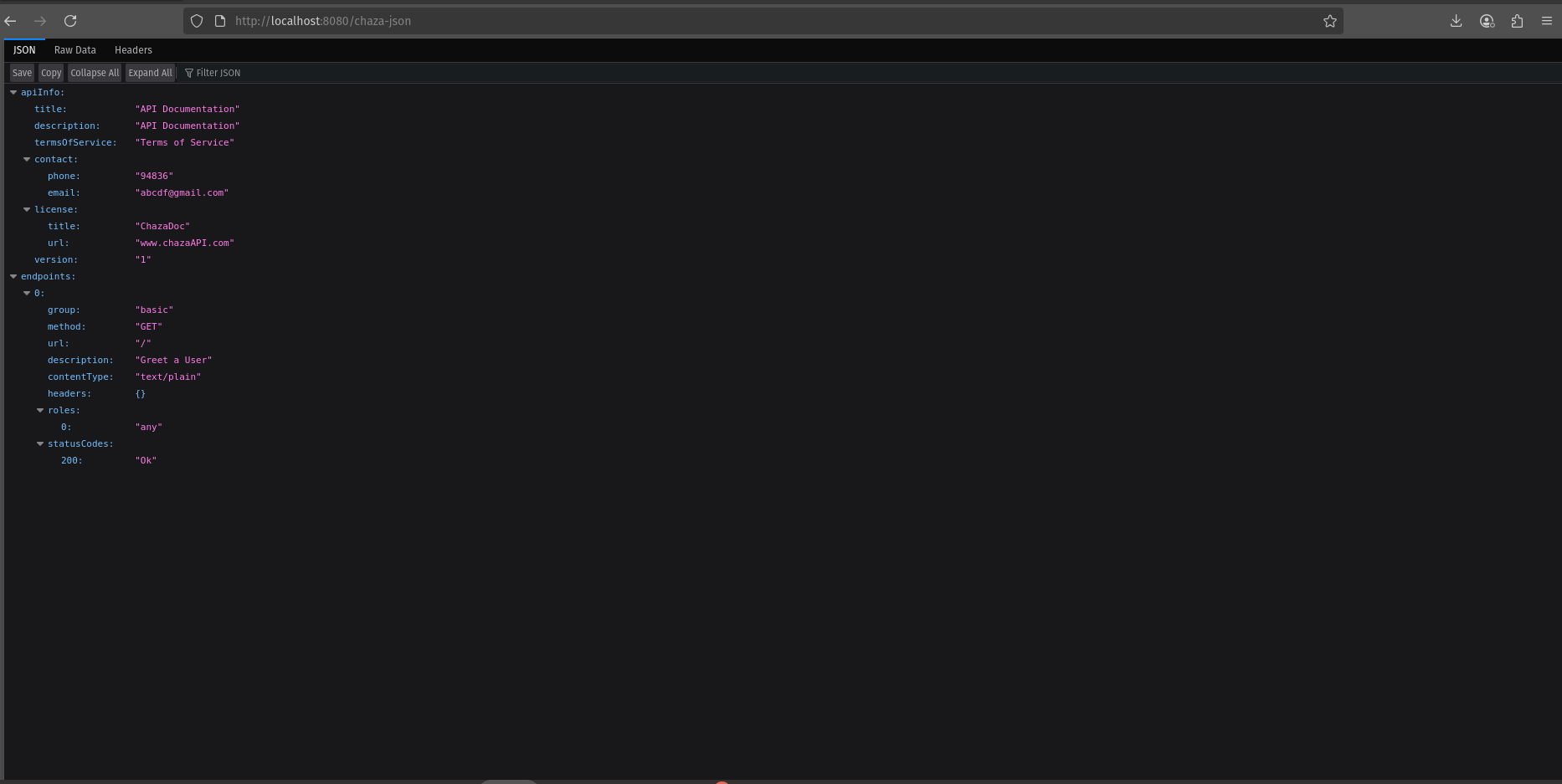
For a deeper view, visit http://127.0.0.1:8080/chaza-json to access the JSON representation of your API documentation.